

How the Built-In Calculator is Stealing Your Time
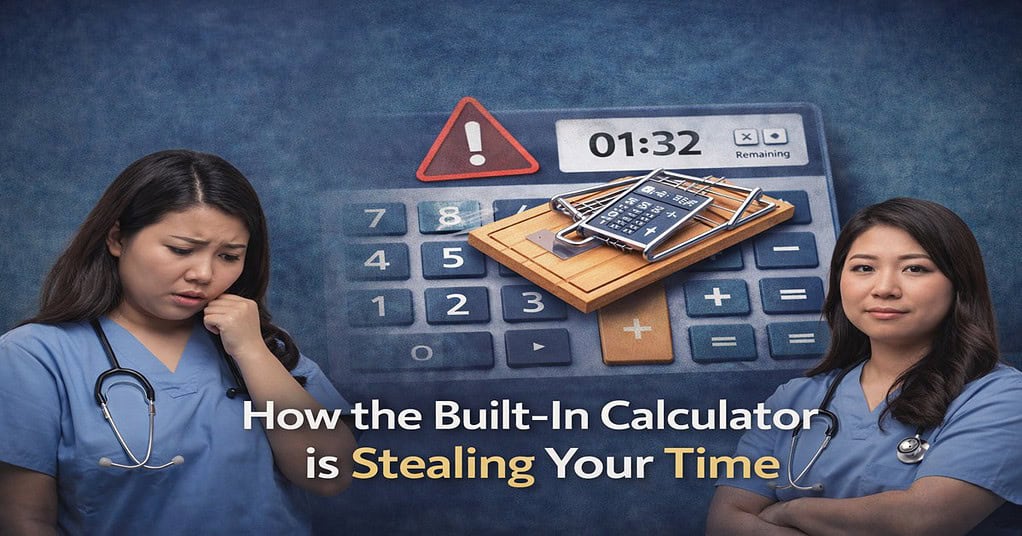
The ATI TEAS 7 provides a built-in, drop-down screen calculator, but relying on it for every question will cause you to run out of time on the Math section. The on-screen calculator is clunky and covers part of the exam window. To beat the 57-minute clock, you must utilize mental math hacks, such as estimating your answers before checking the multiple-choice options and memorizing common fraction-to-decimal conversions.
Let’s look at the raw numbers: on the ATI TEAS 7 Math section, you have exactly 38 questions and only 57 minutes to solve them. That gives you 90-seconds per question.
If your strategy is to open the drop-down calculator, manually click the numbers with your computer mouse, wait for the result, and then close it for every single addition and subtraction problem… you are going to run out of time. Students who use the calculator as a crutch for basic arithmetic consistently leave the last five questions of the exam completely blank.
It is time to break the crutch, trust your brain, and beat the clock.
The "Drop-Down" Reality
The ATI TEAS 7 calculator is not a physical device you hold in your hand. It is an on-screen, drop-down widget.
When you open it, it physically sits on top of your exam screen. Very often, it will completely block the actual word problem you are trying to read or the multiple-choice answers you are trying to select. This forces you to constantly click, drag, and move the calculator around your screen just to see what you are doing. Those seconds add up incredibly fast. Every time you drag that box, you are burning your 57 minutes.
Hack 1: The Art of Estimation
The Trap: Calculating exact, highly specific decimals when the question doesn’t actually require you to.
The Hack: Look at the answer choices before you touch the calculator! If you are looking at a complex word problem, and the multiple-choice options are 10, 50, 200, and 900, you absolutely do not need a calculator. Just round the numbers in the word problem up or down to the nearest ten or hundred, do the simple mental math, and find the obvious outlier. Estimation is the fastest way to bypass the calculator entirely.
Hack 2: Memorize the "Heavy Hitters"
Stop wasting precious seconds typing basic fractions into the calculator to convert them into decimals. You should be able to look at common fractions and instantly know their decimal equivalent.
Memorize these heavy hitters before you walk into the testing center:
1/2 = 0.50
1/4 = 0.25
3/4 = 0.75
1/5 = 0.20
1/8 = 0.125
1/3 = 0.33
When you see these fractions in a word problem, your brain should instantly translate them into decimals without you ever having to reach for your mouse.
Hack 3: The Fraction-to-Decimal Trap (Ignore the "Experts")
I see self-proclaimed “TEAS experts” on social media giving this terrible advice all the time: “Just use the calculator to turn every fraction into a decimal immediately because decimals are easier to read!”
Do not fall for this. It is one of the biggest time-wasting traps on the entire exam. Here is why that advice will sink your score:
The Double-Conversion Trap: If you look at the multiple-choice options and they are all formatted as fractions, why would you convert the problem into decimals? If you do, you will solve the problem in decimals, get a decimal answer, and then be forced to waste another 60 seconds converting all four multiple-choice fractions into decimals just to find the match.
The Rounding Error: Fractions like 1/3 or 1/6 turn into messy, repeating decimals (0.333… and 0.166…). If you rely on the calculator and round those numbers too early in a multi-step problem, your final answer will be slightly off, and ATI specifically designs their distractor answers to catch students who made rounding errors.
The Strategy: Always look at the answer choices first. If the answers are in fractions, keep the problem in fractions! Trust your brain to find a common denominator. It is significantly faster and far more accurate than letting the calculator create a messy decimal.
Hack 4: The Fraction Fast-Tracks (Butterfly & Elimination)
If you are keeping the problem in fractions to save time, you need a fast way to solve them without relying on the on-screen calculator. Here are the only two mental math strategies you need for fractions:
For Adding and Subtracting: The Butterfly Method Finding the Lowest Common Denominator (LCD) the traditional way can take up precious minutes. Instead, use the Butterfly Method to bypass the calculator entirely!
Multiply diagonally across (the “wings”).
Add or subtract those two numbers to get your new top number (numerator).
Multiply the two bottom numbers together to get your new bottom number (denominator). You arrive at the correct fraction in seconds, and all it requires is basic, single-digit mental math.
For Multiplying and Dividing: The Elimination Method (Cross-Canceling) When multiplying fractions, do not multiply straight across immediately! That creates massive numbers that will force you to open the calculator just to reduce the final answer. Instead, use the Elimination Method (also known as cross-canceling). Look at the numbers diagonally from each other. Can they be divided by the same number? Simplify them before you multiply. This keeps the numbers incredibly small, allowing you to do the math instantly in your head. (And remember, for dividing fractions, just use “Keep-Change-Flip” to turn it into a multiplication problem, and then cross-cancel!)
When to Actually Use the Calculator
You do not have to abandon the calculator completely! You just need to use it strategically.
Give yourself permission to open the drop-down calculator only when absolutely necessary. Use it for:
Complex algebra with multiple steps.
Long division where the multiple-choice decimal answers are incredibly tight (e.g., choosing between 14.56 and 14.58).
Double-checking a massive multiplication problem where a small mental math error could ruin the entire equation.
Build Your Mental Math Stamina
You cannot train yourself to beat the calculator trap by just reading about it. You have to simulate the pressure of the real exam without the crutch.
Grab our TEAS Practice Question Bank, set a strict 57-minute timer, and build your rapid-fire mental math stamina today. Pair it with our Complete Study Guide to master the exact math formulas you need to know before test day!