

Choosing between an iPad and a laptop for nursing school feels like a deceptively simple decision—until you realize how much money, time, and academic stress rides on it. Search online and you’ll find confident opinions everywhere: TikTok swears by the iPad, Reddit warns you’ll fail without a laptop, and classmates proudly show off color-coded notes on devices that cost more than a month’s rent.
Here’s the honest truth most people won’t tell you: there is no single “best” device for nursing school.
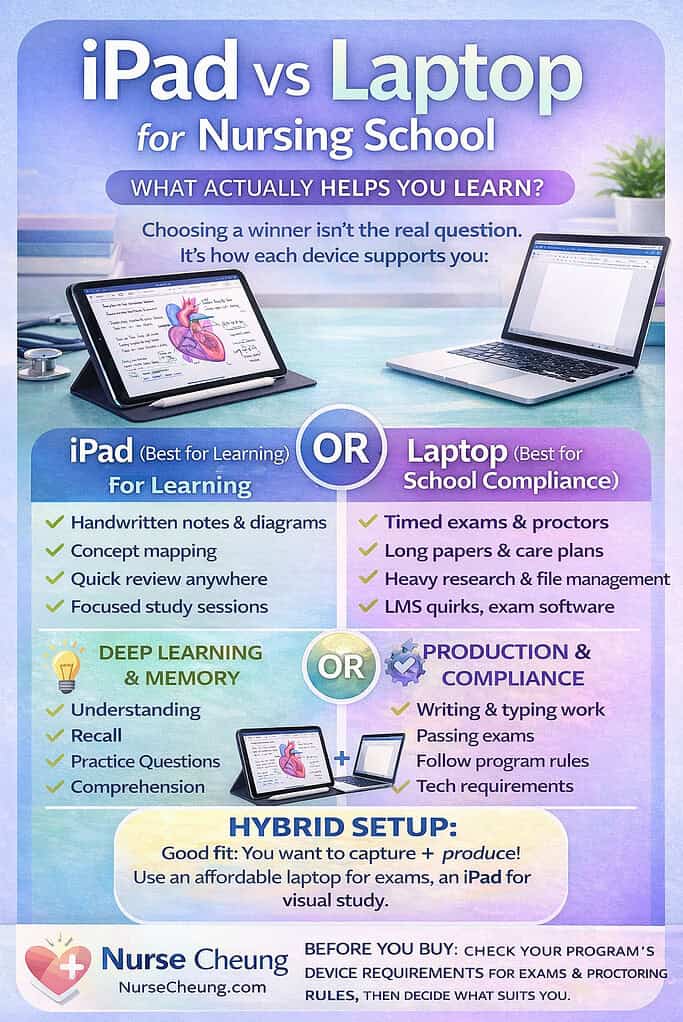
There is, however, a best device for how you learn, and another for how nursing programs actually function.
This post breaks down the real differences between iPads and laptops in nursing school—not based on aesthetics or trends, but on learning science, exam requirements, and what students actually do day to day. By the end, you’ll know exactly what setup makes sense for you, your program, and your budget.
What Nursing School Really Demands From Your Technology
Nursing school isn’t just “college, but harder.” It’s a unique mix of memorization, conceptual understanding, time pressure, and compliance with rigid systems.
On any given week, you might be:
Learning complex processes like acid–base balance or cardiac conduction
Memorizing medication classes and side effects
Writing care plans and discussion posts
Taking high-stakes, proctored exams
Studying during odd pockets of time between work, family, and clinicals
All of that boils down to two very different tech demands:
1. Learning mode
This is where understanding, retention, and recall matter most. Think:
Note-taking
Concept mapping
Reviewing slides
Practice questions
Visualizing processes
2. Production & compliance mode
This is where nursing school bureaucracy lives:
Writing papers and care plans
Submitting assignments through the LMS
Running exam and proctoring software
Managing files across multiple classes
Here’s the key insight: no single device is perfect at both.
That’s why so many high-performing students quietly end up with a hybrid workflow—even if they didn’t plan to.
How Learning Actually Works (And Why the Device Isn’t Magic)
Before comparing devices, it’s worth clearing up a misconception: technology doesn’t make you learn better. Your study behaviors do.
Research on learning consistently shows that:
Passive review (re-reading, highlighting, copying notes verbatim) feels productive but leads to weaker retention.
Active learning (summarizing, organizing, drawing connections, testing yourself) produces better long-term understanding.
This matters because different devices encourage different behaviors.
Typing notes on a laptop often leads students to transcribe lectures word-for-word. It’s fast, but your brain does less processing. Handwriting—whether on paper or digitally—slows you down just enough to force summarization and decision-making, which strengthens memory.
Distraction also plays a role. Laptops make multitasking easy: email, tabs, messages, and notifications are always one click away. iPads, while not distraction-free, tend to be used more intentionally for single-task study workflows.
The takeaway isn’t that one device is “bad.”
It’s that your device should support the way you study best, not fight against it.
Where the iPad Shines for Nursing Students
For many nursing students, the iPad becomes a powerful learning tool, especially during content-heavy semesters.
Why iPads work so well for learning
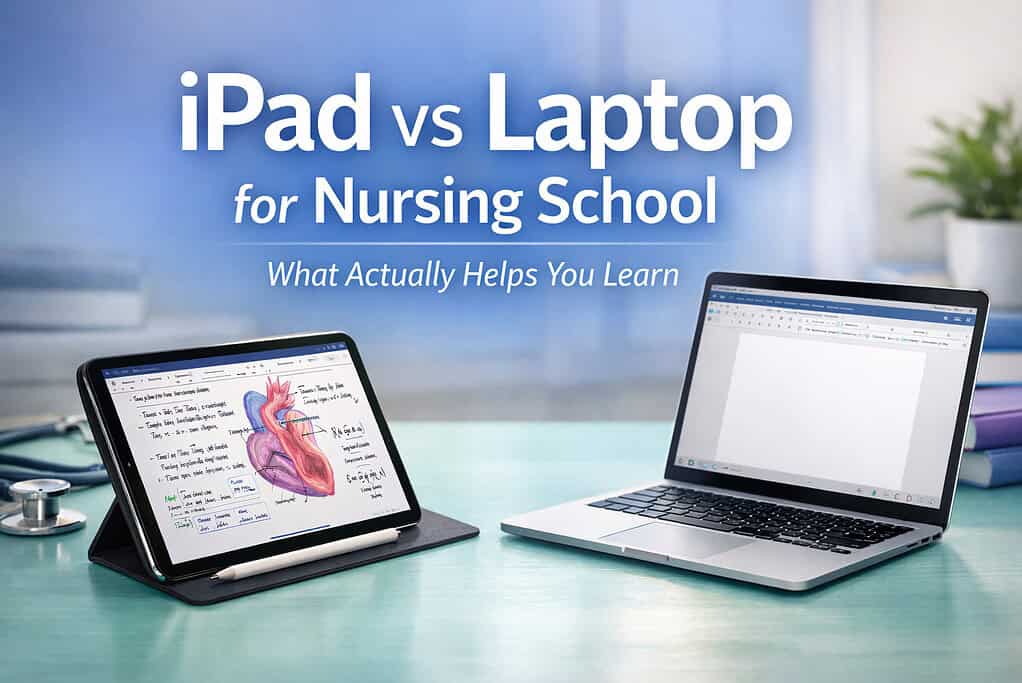
An iPad paired with a stylus functions like a digital notebook with superpowers. You can:
Handwrite notes directly on lecture slides
Draw diagrams for anatomy, physiology, and pathophysiology
Create concept maps for disease processes and care plans
Color-code information for visual recall
Review notes anywhere—on the couch, during commutes, or between clinical tasks
This is especially valuable for subjects like:
A&P
Pharmacology
Med-surg
Fluids and electrolytes
Acid–base balance
These topics are visual and relational. Being able to draw connections—literally—helps many students understand instead of just memorize.
Portability and reduced friction
iPads are lightweight, have excellent battery life, and turn on instantly. That matters more than people realize. When studying feels easier to start, students are more likely to do it consistently.
Instead of waiting until you’re home at a desk, you can review:
While waiting for kids at practice
On a lunch break at work
In the car before clinicals
Those small study moments add up.
The iPad limitation
Where the iPad struggles is not learning—it’s school infrastructure. Some exam platforms, file management systems, and formatting requirements simply work better (or only work) on laptops.
That brings us to the other half of the equation.
Where the Laptop Is Non-Negotiable
No matter how much you love handwritten notes, most nursing programs still operate in a desktop-first world.
Laptops excel at production and compliance
A laptop is often essential for:
Writing long papers and care plans
Managing multiple documents at once
Navigating complex LMS systems
Running required testing and proctoring software
Participating in discussion boards efficiently
Timed exams, in particular, tend to be more reliable on laptops. Proctoring software is strict, resource-heavy, and unforgiving of glitches. A laptop reduces risk during high-stakes testing situations.
Reliability matters more than preference
Even if your program technically allows tablets for some tasks, many students find that laptops:
Crash less during exams
Handle updates and system checks more smoothly
Offer better keyboard efficiency for long assignments
In nursing school, reliability beats convenience when grades are on the line.
The Exam and Software Reality Check (Read This Before You Buy)
This is the part that can save you hundreds of dollars and a lot of stress.
Nursing programs use a variety of testing platforms, and device compatibility varies by school and exam type. Some exams allow tablets under specific conditions. Others require a Mac or PC—no exceptions.
Before buying anything, students should confirm:
Which exam platforms their program uses
Whether those platforms support iPadOS or require a full desktop operating system
Whether proctoring software works reliably on their chosen device
This isn’t about fear-mongering. It’s about avoiding the nightmare scenario of realizing your brand-new device can’t run a required exam two weeks into the semester.
Common Nursing Student Scenarios (And the Best Setup for Each)
The commuter or working student
Time is fragmented. Study happens in short bursts.
Best fit: iPad for studying + access to a laptop when needed
Why: portability and quick access to notes matter more than power
The parent or caregiver
Flexibility is everything.
Best fit: hybrid setup
Why: iPad for learning anywhere, laptop for submissions and exams
The visual learner
Understanding processes matters more than typing speed.
Best fit: iPad as primary study tool
Why: diagrams, charts, and handwritten notes improve comprehension
The accelerated-program student
Volume and deadlines are intense.
Best fit: laptop as primary device, iPad as support
Why: speed, multitasking, and exam reliability are critical
No setup is “better.” The right choice is the one that removes friction from your life.
Budget-Friendly Tech Paths (You Don’t Need Everything at Once)
One of the biggest myths is that successful nursing students all have expensive, top-tier setups. That’s simply not true.
Path 1: iPad-first
Works best if:
Your program allows tablet use for most tasks
You have access to a shared or older laptop for exams and papers
Path 2: Laptop-only
Works best if:
Budget is tight
You’re comfortable typing notes and using digital documents
Your learning style isn’t heavily visual
Path 3: Hybrid over time
Start with one device and add the other later.
This is the most common—and often most sustainable—approach.
Nursing school is expensive enough. Your tech should support you, not financially drain you.
What Actually Improves Grades (Spoiler: It’s Not the Device)
After years of watching nursing students succeed and struggle, one pattern is clear: devices don’t raise grades—systems do.
Students who do well tend to:
Review content consistently instead of cramming
Use practice questions early and often
Sleep enough to consolidate memory
Reduce friction in their study routines
The “best” device is the one that makes those habits easier to maintain.
So… iPad or Laptop?
Here’s the simplest, most honest answer:
An iPad helps you learn.
A laptop helps you function within nursing school systems.
If you can only choose one, choose the device that aligns with your program’s requirements and your learning style. If you can use both—even modestly—you’ll likely find each fills a different but equally important role.
Nursing school is hard enough. Your technology should support your effort, not complicate it.